Transferring Gross CIS Deductions to BrightPay
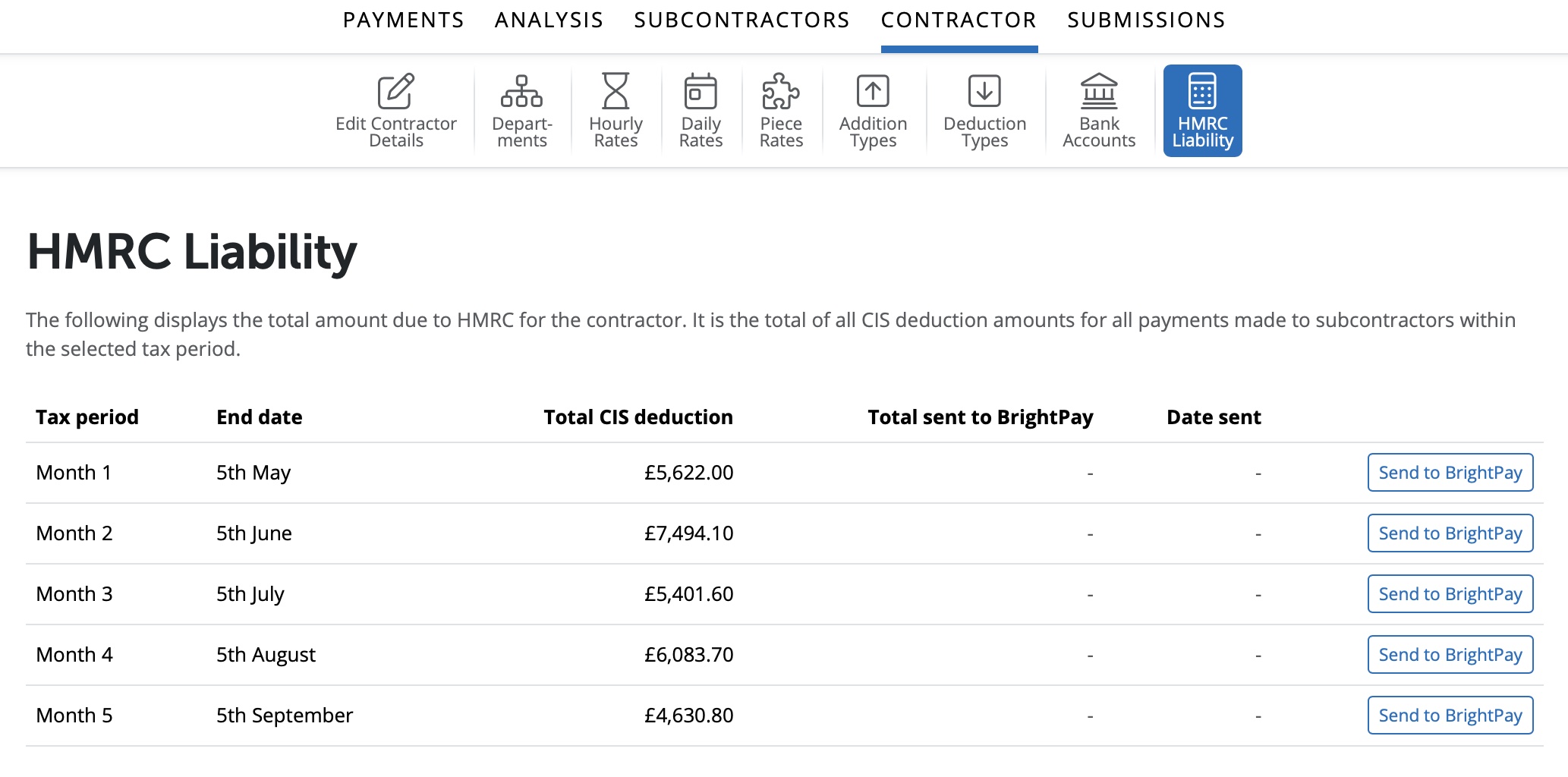
When payments are processed in the Payment section for Subcontractors in BrightCIS the Gross CIS Deductions will be visible under > Contractor > HMRC Liability.
The details for each tax month will be displayed including details for the Tax Month number, the Tax Month end date, the Total CIS deduction.
If the Total CIS deduction amount needs to be added to BrightPay in order to give the total liability for the tax period there is an option in BrightCIS to send the Total CIS deduction amount directly to BrightPay.
Select 'Send to BrightPay' on the right hand side of the tax month you wish to send the total CIS deduction from the contractor in BrightCIS to the employer in BrightPay.
Please note: The PAYE reference in the Contractor in BrightCIS must match the PAYE reference in the Employer in BrightPay in order for the transfer to be successful.
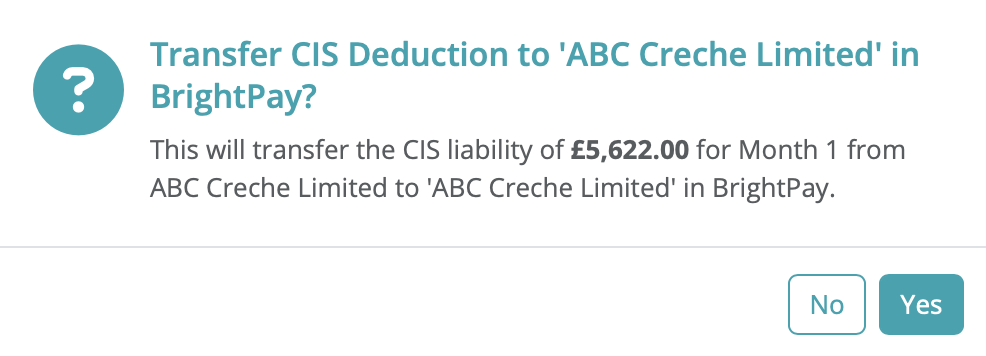
A message will show asking if you wish to transfer the CIS Deduction to the employer in BrightPay. Select 'Yes' to continue the transfer.
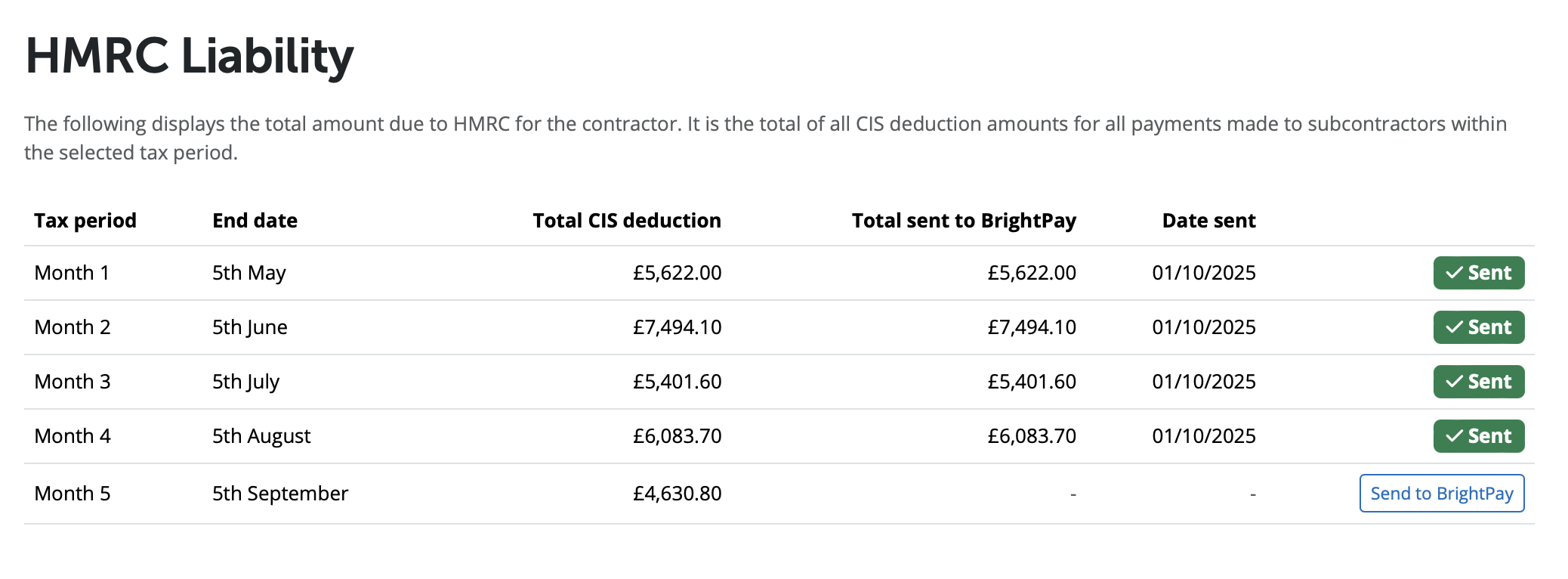
Once the Total CIS deduction amount has been transferred successfully to BrightPay you will get a message to confirm this. Select 'OK' to continue.

The amount sent to BrightPay and the date will now be displayed. The status will show as Sent with a tick in green.
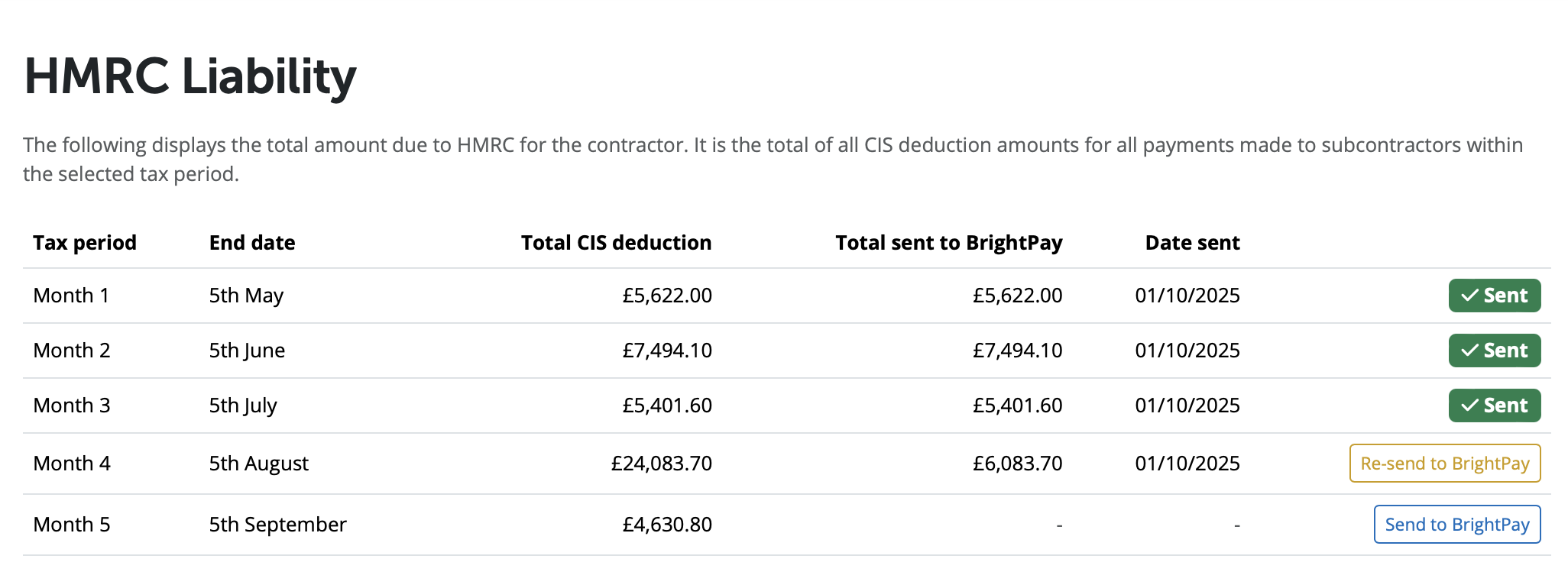
If any payments are processed and finalised in the Payments section for additional subcontractors or payments are re-opened to facilitate amendments and payments are re-finalised this may alter the amount of Total CIS deduction amount showing in the HMRC Liability section.
If you have previously posted the Total CIS deduction total for a tax month to BrightPay and due to changes the figure is now different in BrightCIS, you will be prompted to re-send the information to BrightPay.
Select 'Re-send to BrightPay' in order to send the updated amount for Total CIS deduction to BrightPay for the tax month.
Need help? Support is available at 0345 9390019 or [email protected].







