Re-opening Subcontractor Payments (Corrections)
This utility allows you to re-open the last payment period finalised or re-open previously updated payment periods in order to amend payment details for one or more subcontractors. On re-opening a payment period, original payment details for each subcontractor will be retained by the software allowing the user to amend accordingly.
To Re-Open The Last Payment Period Finalised
To access this utility, click 'Payments':
1) On the payment schedule bar, select the pay period you wish to re-open.
2) Click 'Re-Open Payments' on the menu toolbar.

3) Select the subcontractors you wish to re-open payments for.
4) Click 'Re-open'.
The selected subcontractor(s) payments will now be available for editing and finalising again.
To Re-open More Than One Payment Period
To access this utility, click 'Payments':
1) On the payment schedule bar, select the pay period from where you wish to re-open payments. Please note: To re-open more than one payment period you will need to re-open each payment period separately.
2) Click 'Re-Open Payments' on the menu toolbar.
3) Select the subcontractors you wish to re-open payments for.
4) Click 'Re-open'.
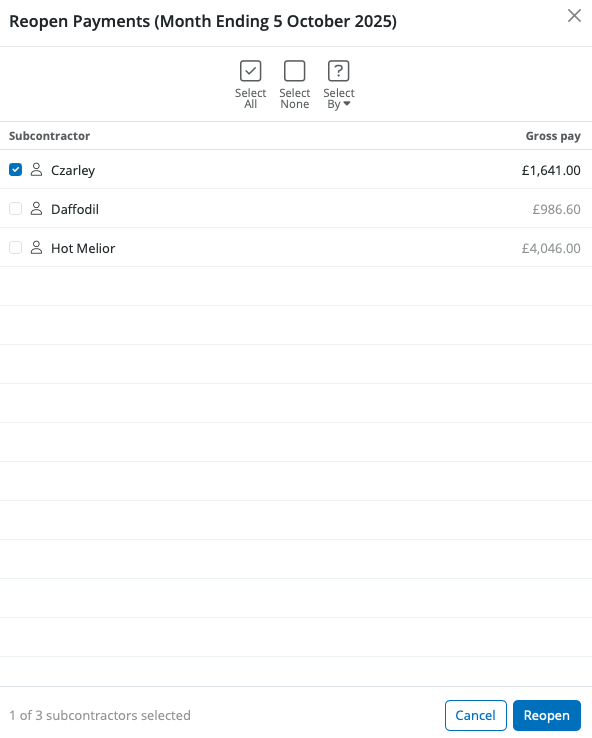
The selected subcontractor(s) payments will now be re-opened for the payment period selected and will be available for editing and finalising again.
Important Note:
When correcting errors, a complete replacement CIS 300 Monthly Return must be submitted as per HMRC requirements. When the required amendments have been made and the payments finalised again, go to 'Submissions' , click 'New' on the menu toolbar and select 'CIS 300 Monthly Return' to prepare a monthly return with the corrections made. Further information on creating monthly returns can be found here
Please note: prior to April 2016 corrections to CIS returns had to be reported to HMRC via the telephone. Since April 2016, HMRC will allow you to submit corrections online and will no longer accept telephone amendments.
Need help? Support is available at 0345 9390019 or [email protected].







