Downloading/Printing/Emailing Reports
To download/print/email a report:
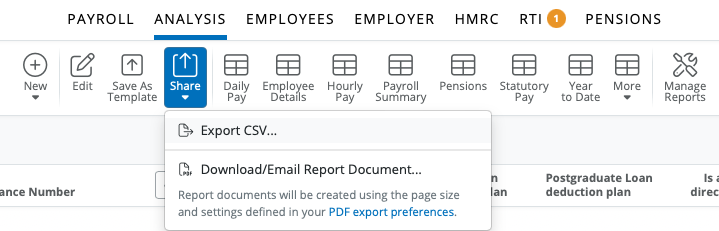
1) Click 'Share' on the menu toolbar and select 'Download or Email Document'.... A print preview of the report will be displayed on screen. Press the 'Print' icon to print out the report. Alternatively, click the 'Email' icon to email the report.
Download icon is available to download the report in pdf format.
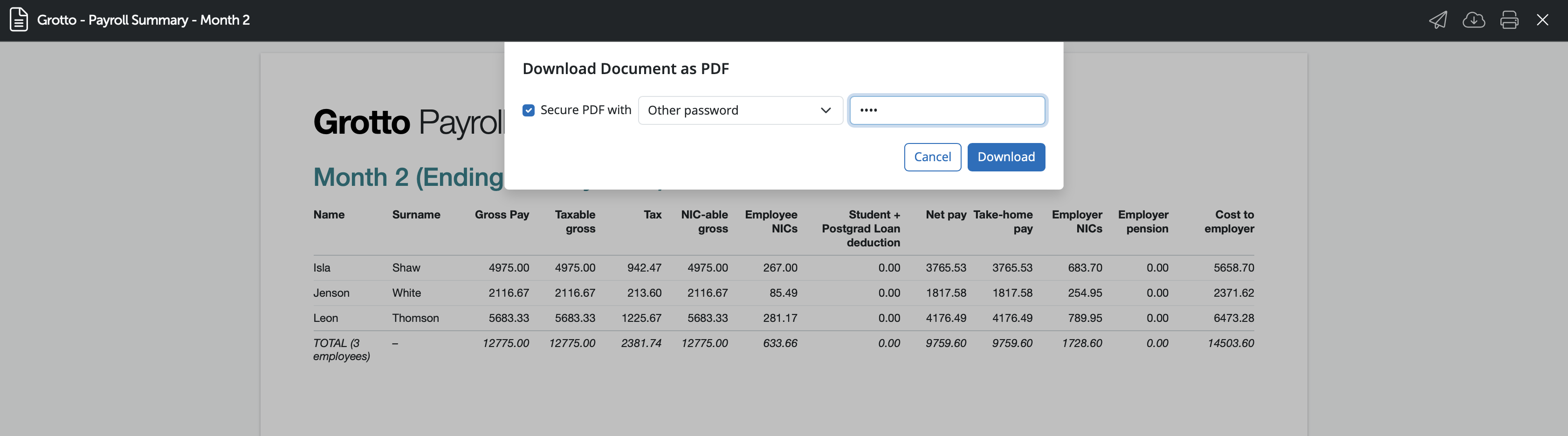
2) When downloading a report or a payroll document to pdf you can password protect the document if required. Once you select the 'Download' icon a message box will show with an option to secure the PDF document with a password. Tick 'Secure PDF with' in order to have the document password protected.
There are two options that can be used for the password type:
'Other password' allows the user to enter in a unique password for this document.
'Client password' will be available once a client password has been entered under > Employer > Edit Employer Details > Client Details > Default password for 'Documents and Sharing'.
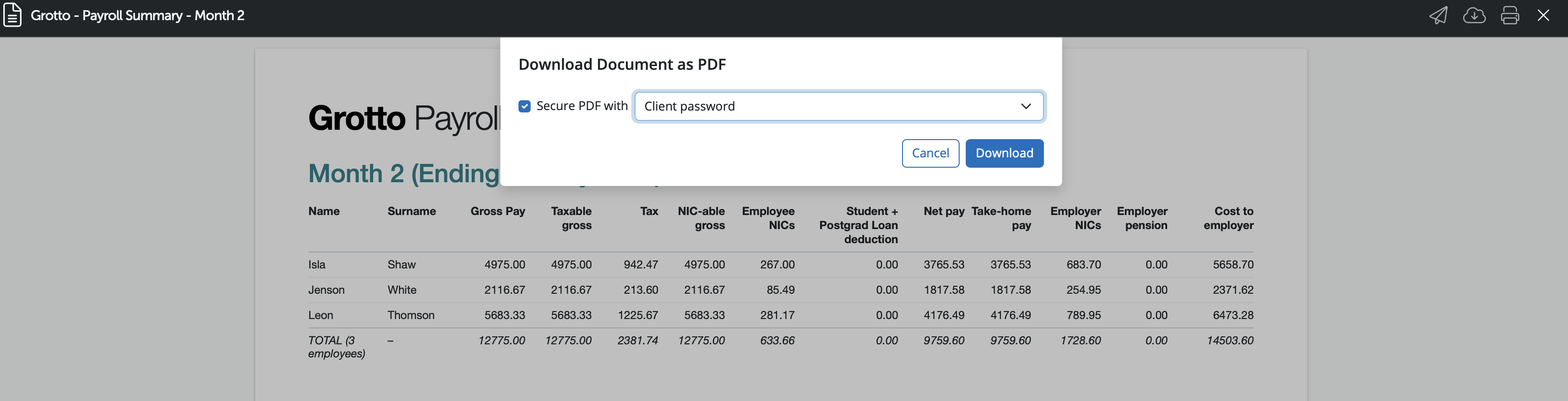
3) Select the desired password protection option or leave 'Secure PDF with' unticked if no password is required and select 'Download' to continue.
4) Should you need to change the orientation, paper size or print margins for the report, these can be amended by clicking 'the cog symbol' on the menu toolbar in the top right and selecting ' PDF export preferences'.
If you wish to have the selected password protect option saved and used going forward please tick ' Remember and reuse the most recent PDF password for each document type'.
Need help? Support is available at 0345 9390019 or [email protected].







