Inviting Employees to access Self Service Portal
BrightPay Employee Self Service Portal provides a web-based portal where employees can view/download their payslips and other payroll documents and view their calendar. Users on the Client Portal can send portal instructions to employees, if required.
In order for an employee to log into their Employee Self Service Portal they will need to register for a Bright Id. (for assistance with this click here)
Employees can log in to their Self Service Portal here.
Sending Self Service Invitation Emails
1) Log in to your Client Portal account and access the 'Employees' section.
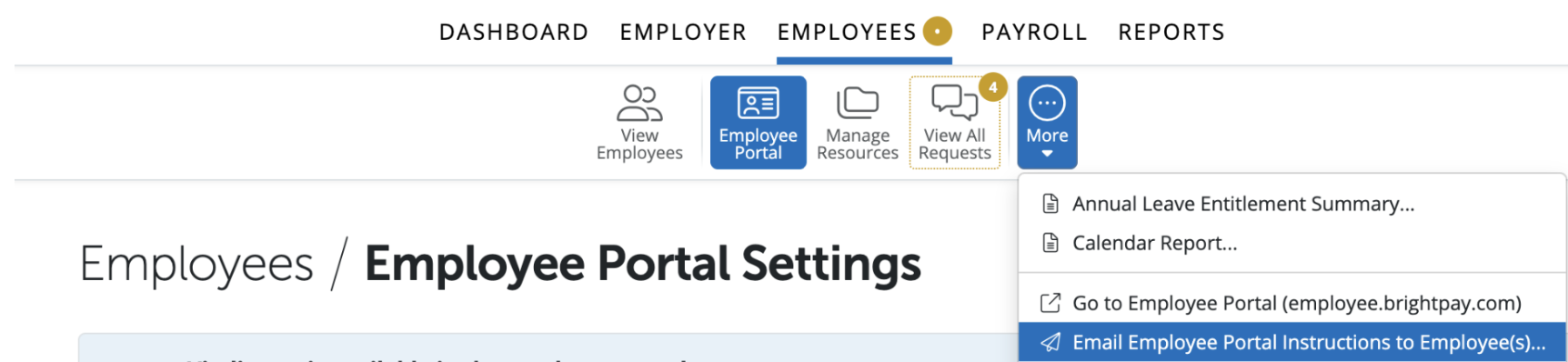
2) Click 'Employee Portal'.
3) Click 'More > Email Employee Portal Instructions to Employee(s)'.
4) Select each employee that you would like to send a personalised email to with an overview of Self Service and instructions on how to log in.
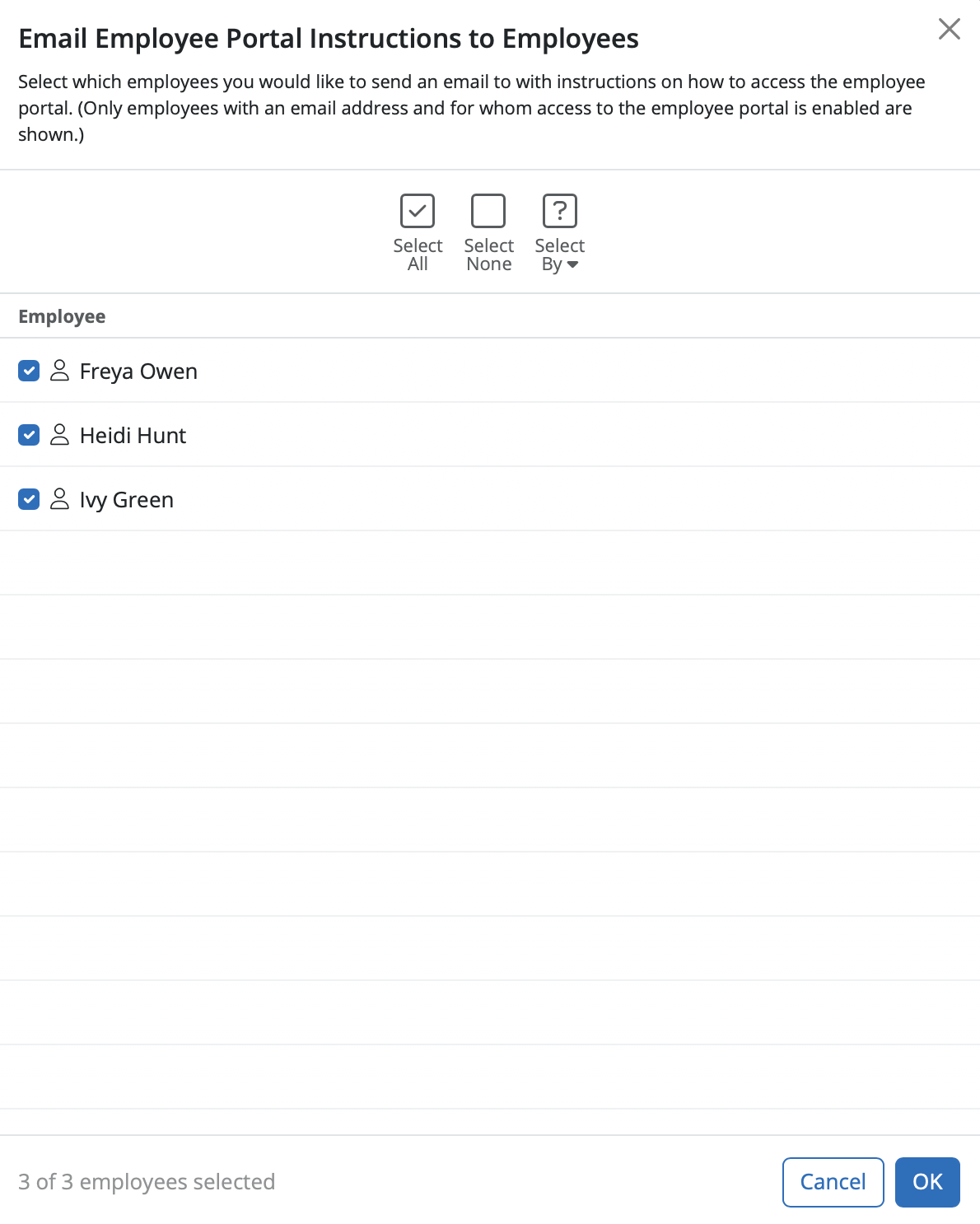
Please note: employees for whom self service has been turned off will not be available for selection.
5) Once all employees are selected, when ready and click 'OK'.
All employees selected will be sent a welcome email containing instructions on how they can log in to their own self service portal.
Need help? Support is available at 0345 9390019 or [email protected].







