Exporting Multiple Payslips to a PDF document
In the Payroll section of the Client Portal users can access payroll information for finalised pay periods including payroll summary report and payslips.
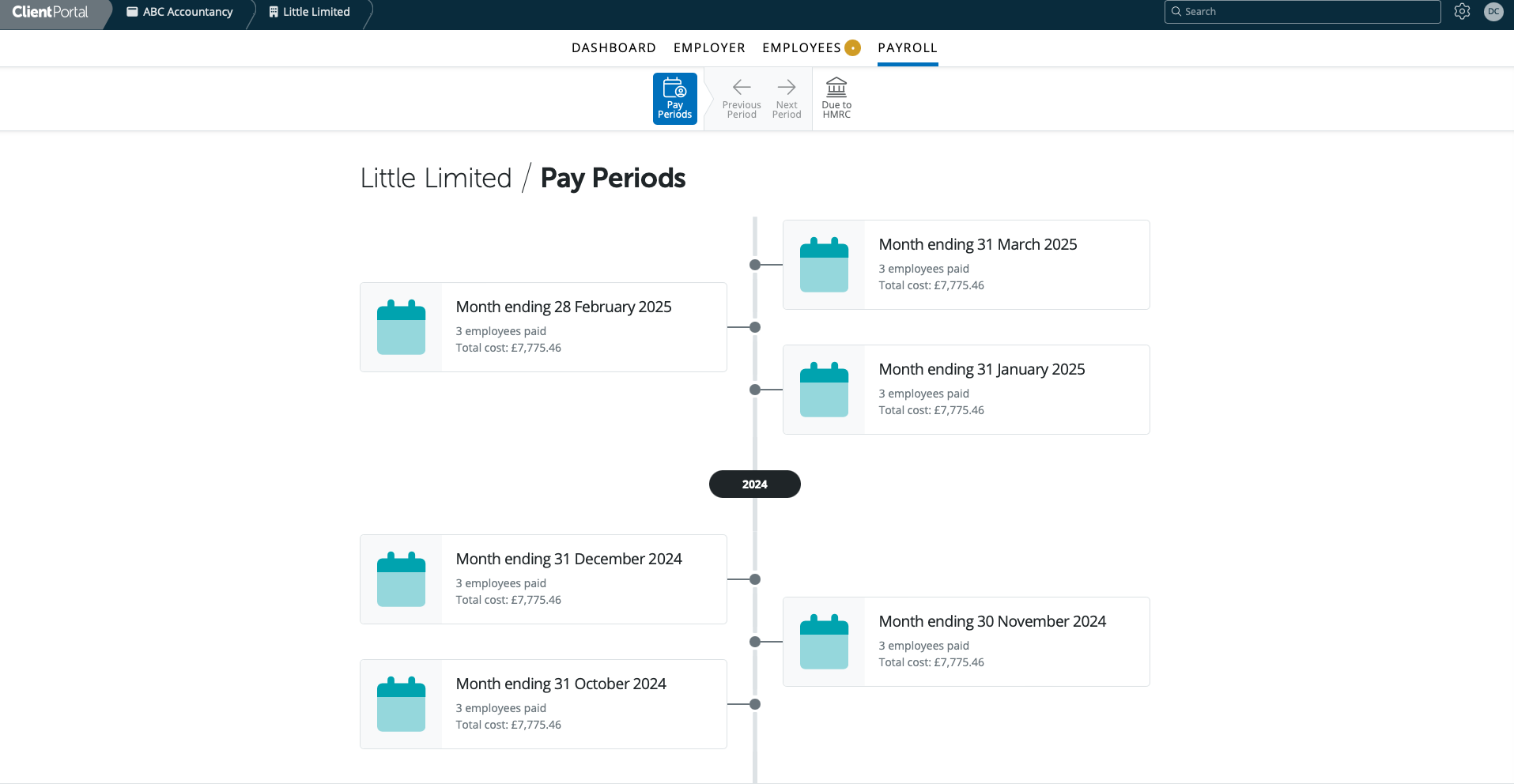
All pay periods finalised in BrightPay will be accessible in the Pay Periods section - weekly, fortnightly, 4-weekly, monthly, quarterly and annual.
Select the pay period you wish to view the payroll summary and payslips for.
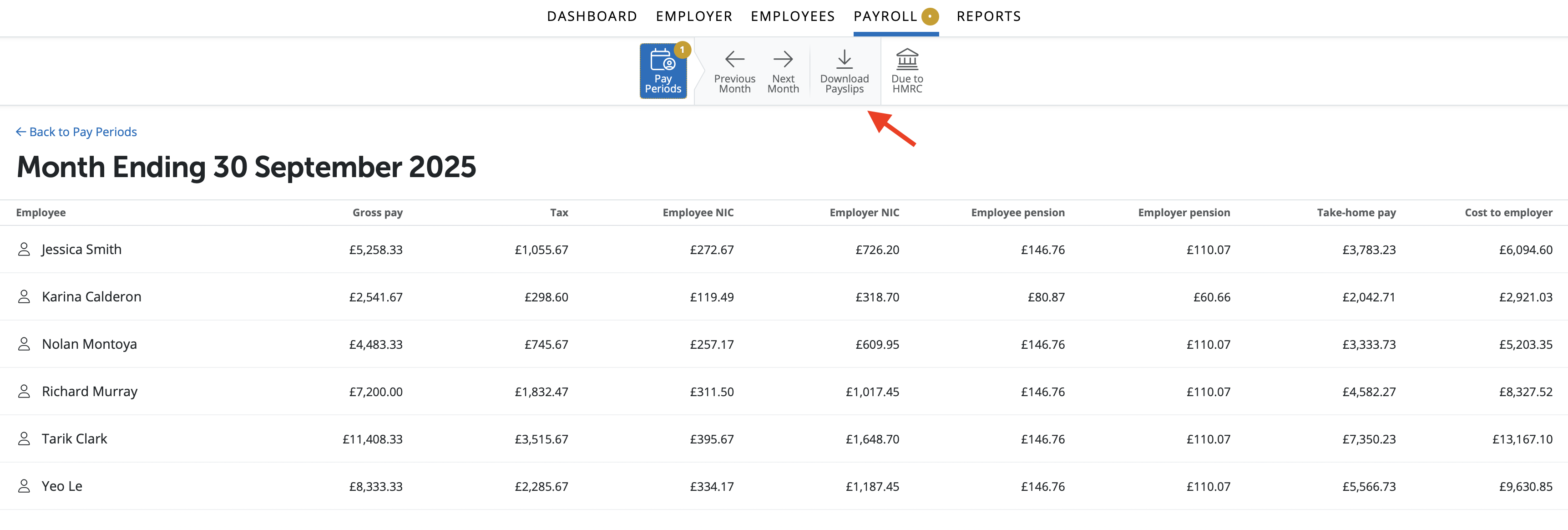
On the Payroll Summary you will view the period payroll information and summary totals. To download payslips in batch please select 'Download Payslips'.
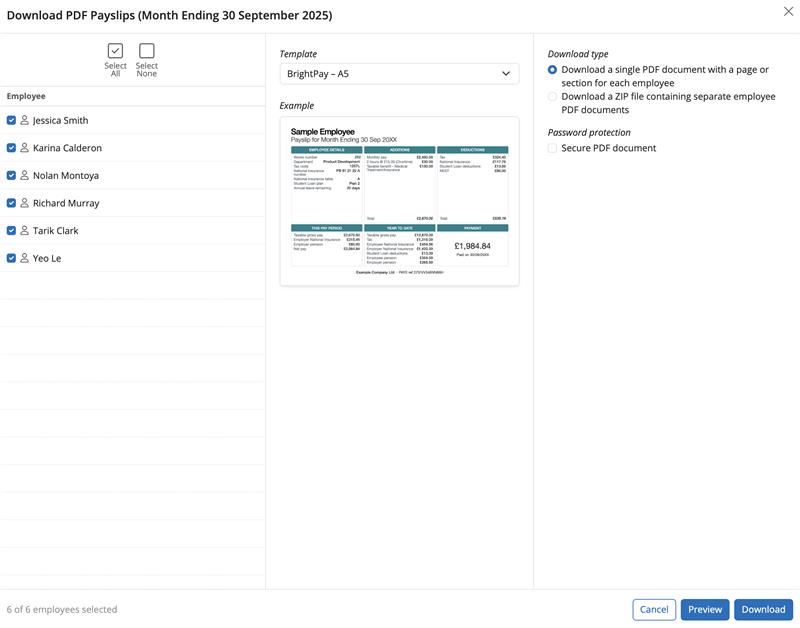
On the left hand side select the employees for whom you wish to export payslips.
Select the Download to complete the exporting/downloading of payslips to a PDF document. Alternatively select 'Preview' at the bottom of the screen, as highlighted below:
A preview of the payslips selected will now be displayed. Select the Print icon to print the payslips or click the Download icon to complete the exporting/downloading of payslips to a PDF document.
Need help? Support is available at 0345 9390019 or [email protected].







