Bureau Statistics Report
A Bureau Statistics Report can be accessed at any time on the BrightPay Employer Dashboard
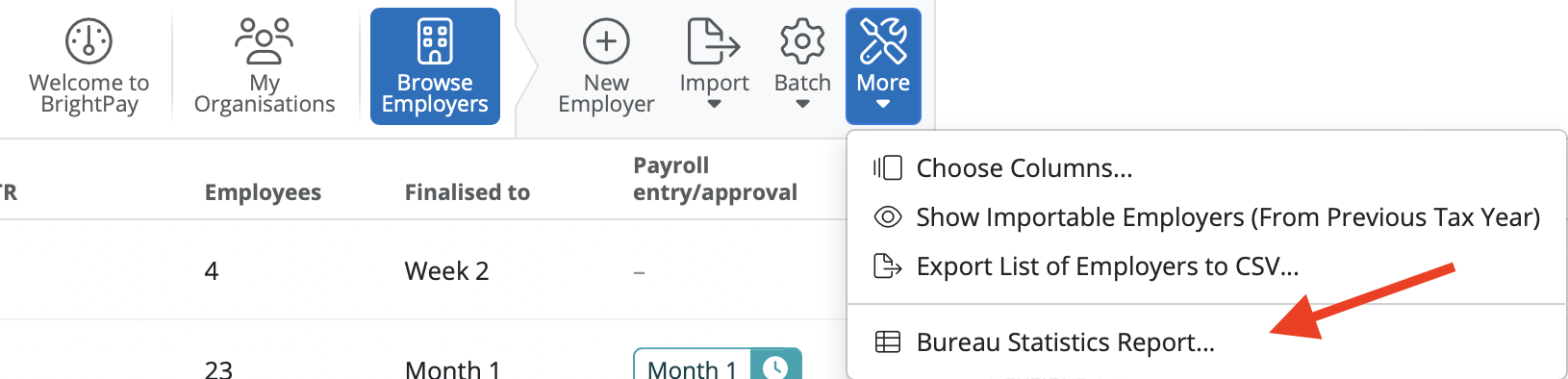
- Simply click the 'Browse Employers' on the BrightPay dashboard. On the Employer Dashboard select 'More', followed by 'Bureau Statistics Report':
This feature allows a payroll bureaus to create a statistical report containing data for each of their clients shown on their Open Company screen in order to assist with billing purposes, etc.
- Select the 'Organisation' to include on the report
- Select how you wish to Display employers by
- Select the date range for the report
- Select the data to include for each employer
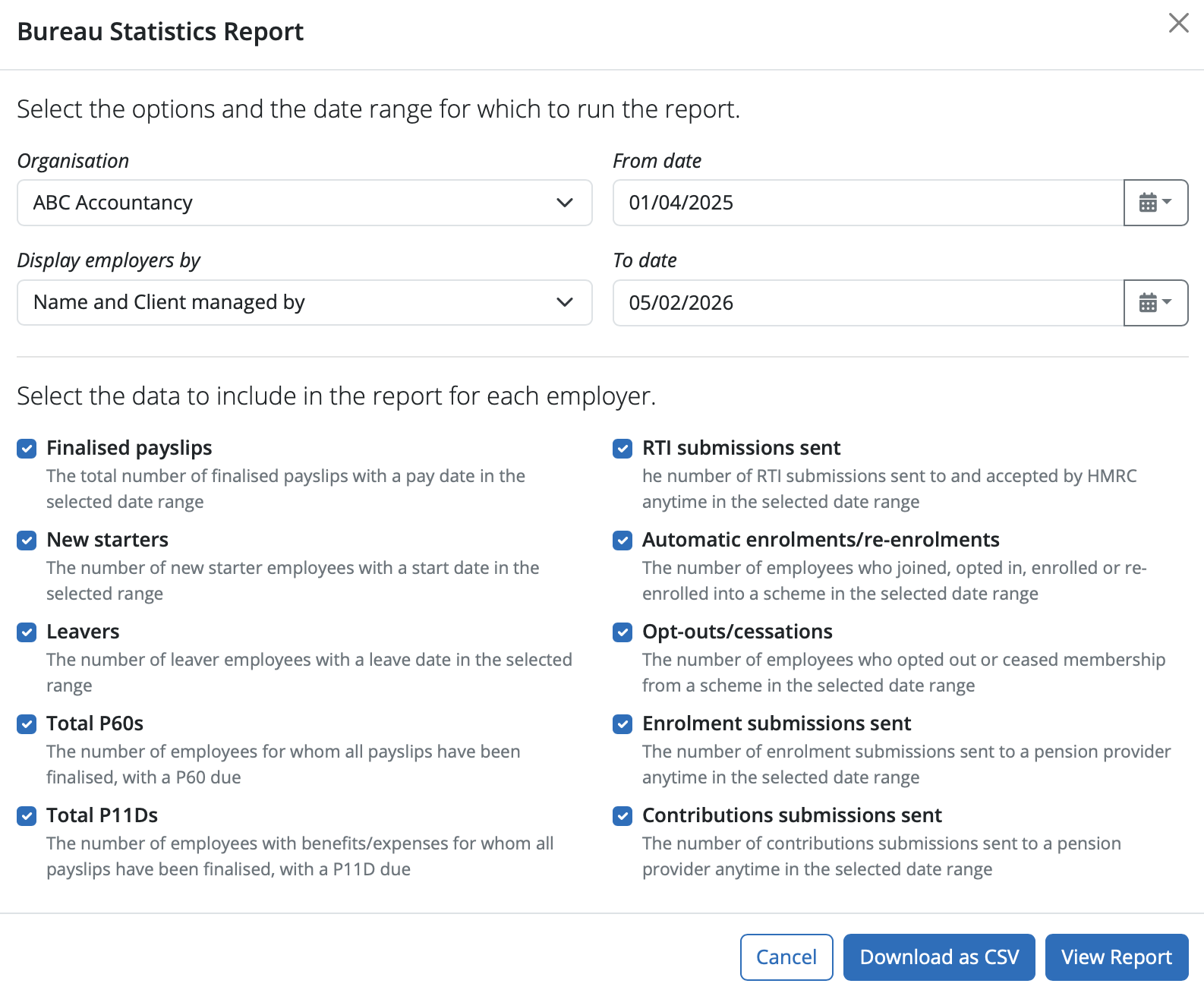
After selecting your report criteria, simply click View Report... . This report can subsequently be printed, emailed or exported as required.
Alternatively, to export the data to CSV, click Download to CSV... .
Need help? Support is available at 0345 9390019 or [email protected].
BrightPay (Cloud) System RequirementsBrightPay's Employer Tax Rate Card 2025-26BrightPay's Employer Tax Rate Card 2026-27BrightPay (Cloud) Service InfrastructureWhat's New in BrightPay?Moving to BrightPay cloudWhat's happening to BrightPay for Windows?Introduction to BrightPayGetting StartedStarting the New Tax YearImporting Into BrightPay from BrightPay for WindowsMoving to BrightPay from another payroll softwareOrganisation Members ManagementTwo Factor Authentication - UsersEmployer DetailsEmployee DetailsCoding NoticesPayroll CalendarProcessing PayrollImporting Pay Data using CSV FileDistributing PayslipsPaying EmployeesRTICommon HMRC Error MessagesAnalysisPayroll JournalsHMRCMaking Corrections in PayrollDirectorsOff-Payroll Working (IR35)StartersLeaversStudent Loan DeductionsPostgraduate Loan DeductionsAttachment of EarningsExpenses & BenefitsPensions (outside of Automatic Enrolment)Payroll GivingYear EndRates & Thresholds at a GlanceTaxNational InsuranceNational Minimum Living WageMileage Allowance Payments (MAPs)Employment AllowanceApprenticeship LevyTermination Awards & Sporting TestimonialsGender Pay Gap ReportingStatutory PaymentsEmployee Self Service PortalTwo Factor Authentication - EmployeesManager's PortalBrightPay Client PortalPayslip TranslationsAutomatic EnrolmentEmployment VerificationImporting Information From Connect into BrightPay cloudClient Payroll RequestsTimeKeeper IntegrationRelease NotesBureau Enhancement Features - Useful Functionality for Payroll Bureaus or Accountants







