Bureau - Audit Trails
Audit trail for Client Requests
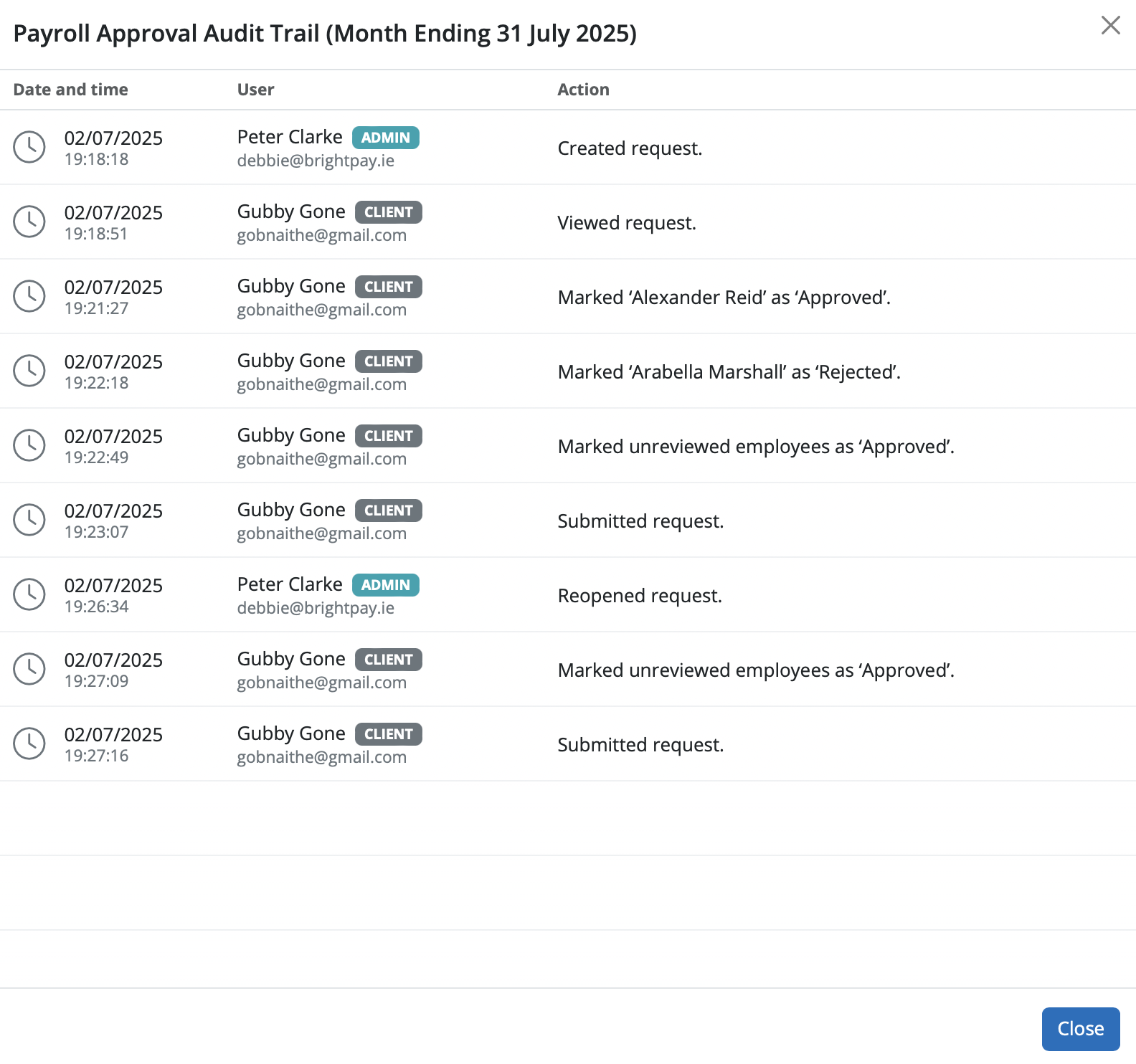
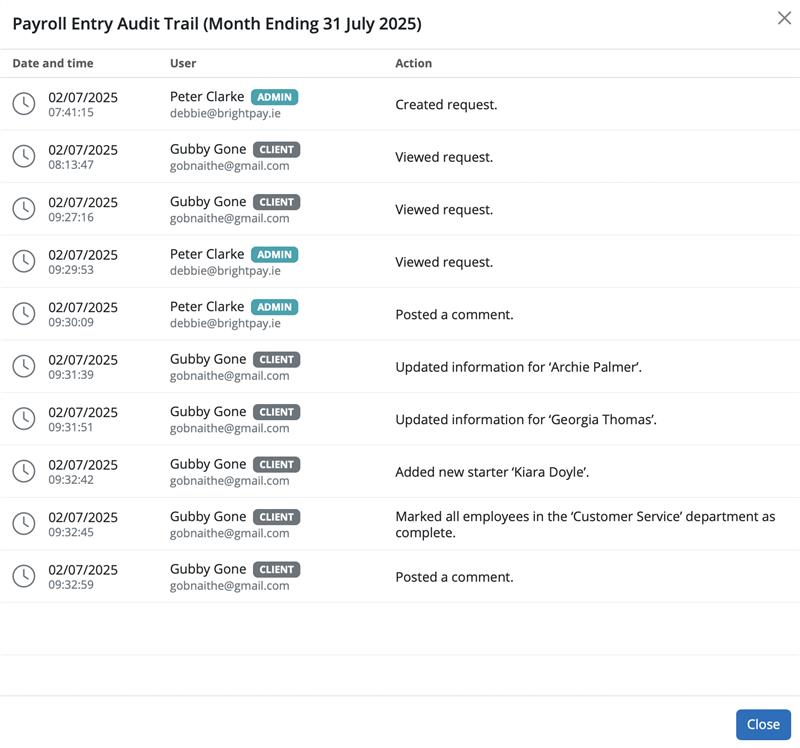
A useful feature for Bureaus in for the Client Requests is the Audit Trail. This can be found by selection the spanner to the top right of the payroll request. It’s automatically updated with each step of the payroll process, and cannot be changed or manipulated in any way, in turn eradicating any breakdown of communication between a Bureau and their client.

Need help? Support is available at 0345 9390019 or [email protected].
BrightPay (Cloud) System RequirementsBrightPay's Employer Tax Rate Card 2025-26BrightPay's Employer Tax Rate Card 2026-27BrightPay (Cloud) Service InfrastructureWhat's New in BrightPay?Moving to BrightPay cloudWhat's happening to BrightPay for Windows?Introduction to BrightPayGetting StartedStarting the New Tax YearImporting Into BrightPay from BrightPay for WindowsMoving to BrightPay from another payroll softwareOrganisation Members ManagementTwo Factor Authentication - UsersEmployer DetailsEmployee DetailsCoding NoticesPayroll CalendarProcessing PayrollImporting Pay Data using CSV FileDistributing PayslipsPaying EmployeesRTICommon HMRC Error MessagesAnalysisPayroll JournalsHMRCMaking Corrections in PayrollDirectorsOff-Payroll Working (IR35)StartersLeaversStudent Loan DeductionsPostgraduate Loan DeductionsAttachment of EarningsExpenses & BenefitsPensions (outside of Automatic Enrolment)Payroll GivingYear EndRates & Thresholds at a GlanceTaxNational InsuranceNational Minimum Living WageMileage Allowance Payments (MAPs)Employment AllowanceApprenticeship LevyTermination Awards & Sporting TestimonialsGender Pay Gap ReportingStatutory PaymentsEmployee Self Service PortalTwo Factor Authentication - EmployeesManager's PortalBrightPay Client PortalPayslip TranslationsAutomatic EnrolmentEmployment VerificationImporting Information From Connect into BrightPay cloudClient Payroll Requests
Payroll Entry Requests - Bureau GuidancePayroll Entry Requests - Employer GuidancePayroll Approval Requests - Bureau GuidancePayroll Approval Requests - Employer GuidanceBureau - Audit TrailsBureau - View/Manage an Employer's RequestsBureau - Client Requests Status on Employer Dashboard.Batch Operation for Payroll Approval Requests - Bureau GuidanceBatch Operation for Payroll Entry Requests - Bureau Guidance
TimeKeeper IntegrationRelease NotesBureau Enhancement Features - Useful Functionality for Payroll Bureaus or Accountants






