Download/Email Multiple Payslips for a single Employee
BrightPay facilitates the option for multiple payslips for an individual employee to be emailed or downloaded. Within Employees > Select an employee > Payslips > click the option you require - Email or Download PDF Payslip for the selected employee.
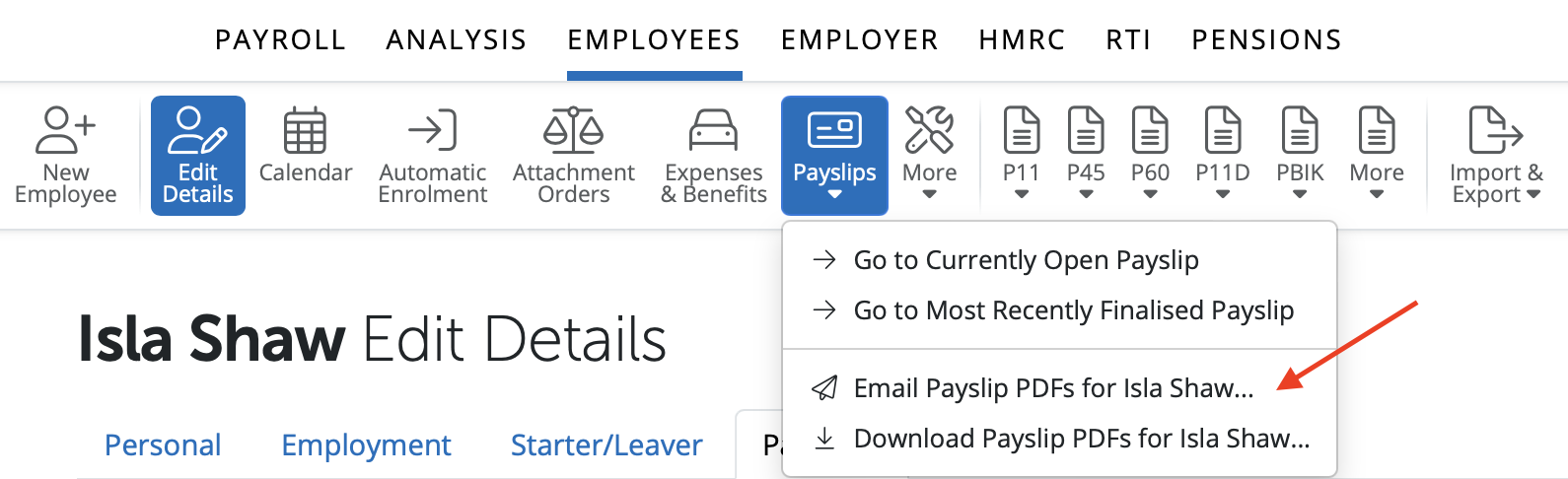
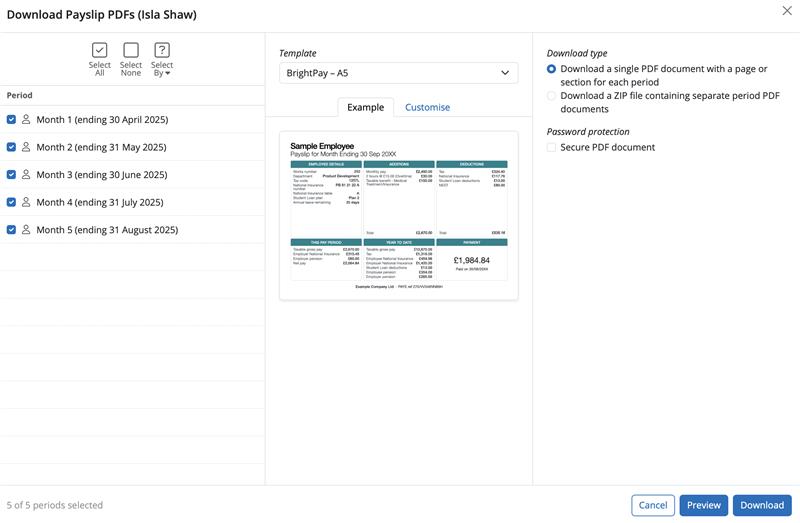
This facility allows you to select the pay periods you wish for the payslips for the individual employee to be downloaded or emailed.
Select or deselect the desired pay periods on the left, and the download type on the right, click on Download to download the pdf file that contains all the payslips for the periods selected.
If payslips are emailed to an employee the date and time of when they were emailed will automatically populate showing as 'Last Emailed'.
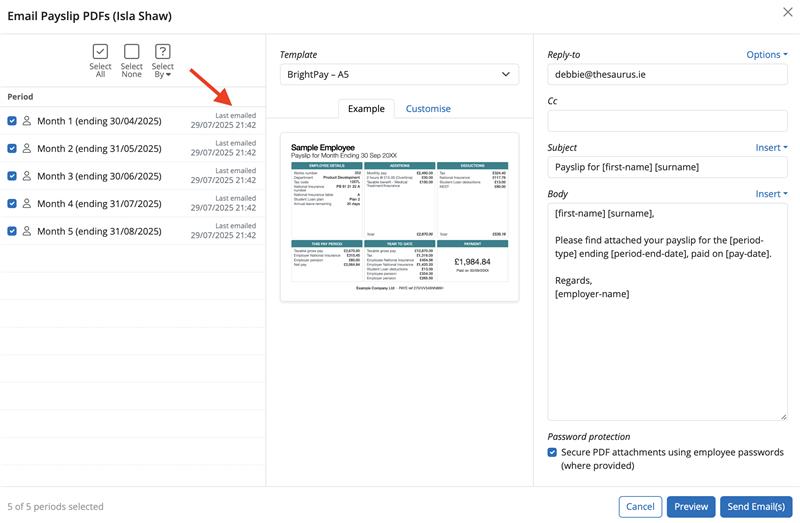
Payslips can be emailed or downloaded again at any time.
Need help? Support is available at 0345 9390019 or [email protected].







