Employer Calendar
An employer-wide calendar is available in the Employer utility within the Client Portal, which amalgamates all employee events into a single view. The default view is the 'Planner' view showing four weeks view of all employees and leave types.
If you wish to navigate forward or backward in weeks please select the arrow icons with Previous Week or Next Week.

Events can be filtered to show or be hidden on the calendar view if required.
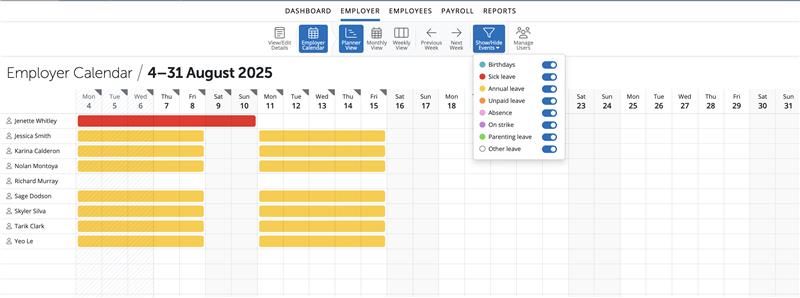
Please note: this option can be selected for all users or just super-users to view on the Client Portal.
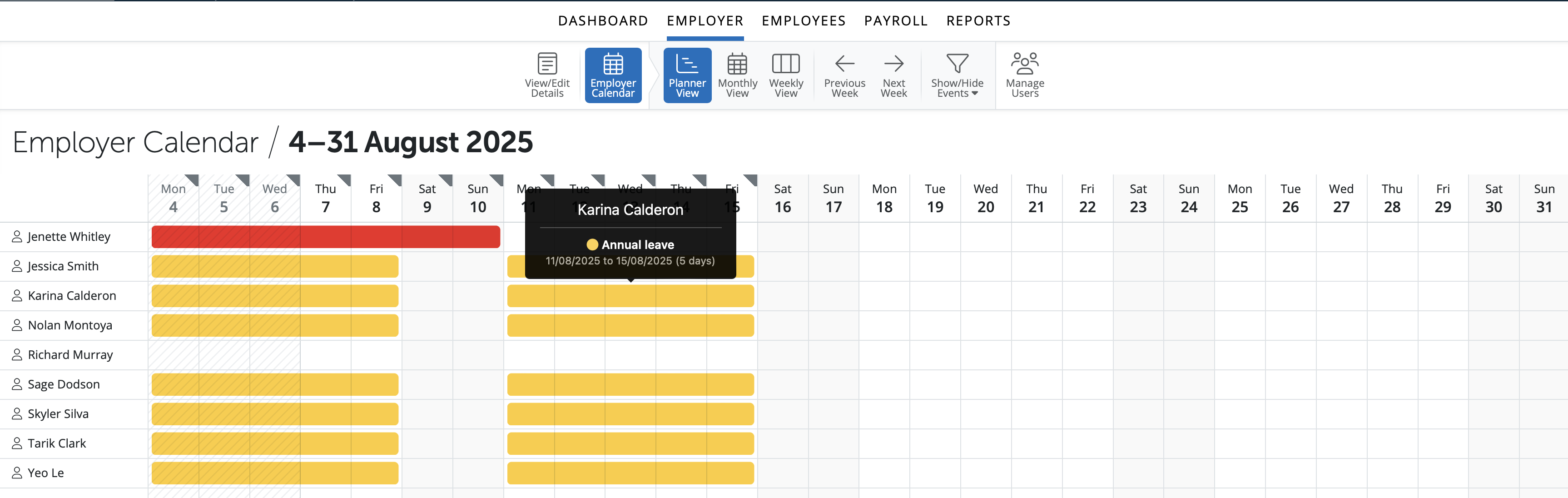
Leave is show in colour-coded bars. By hovering over a bar on the Planner view for an employee a summary view of that leave is shown.
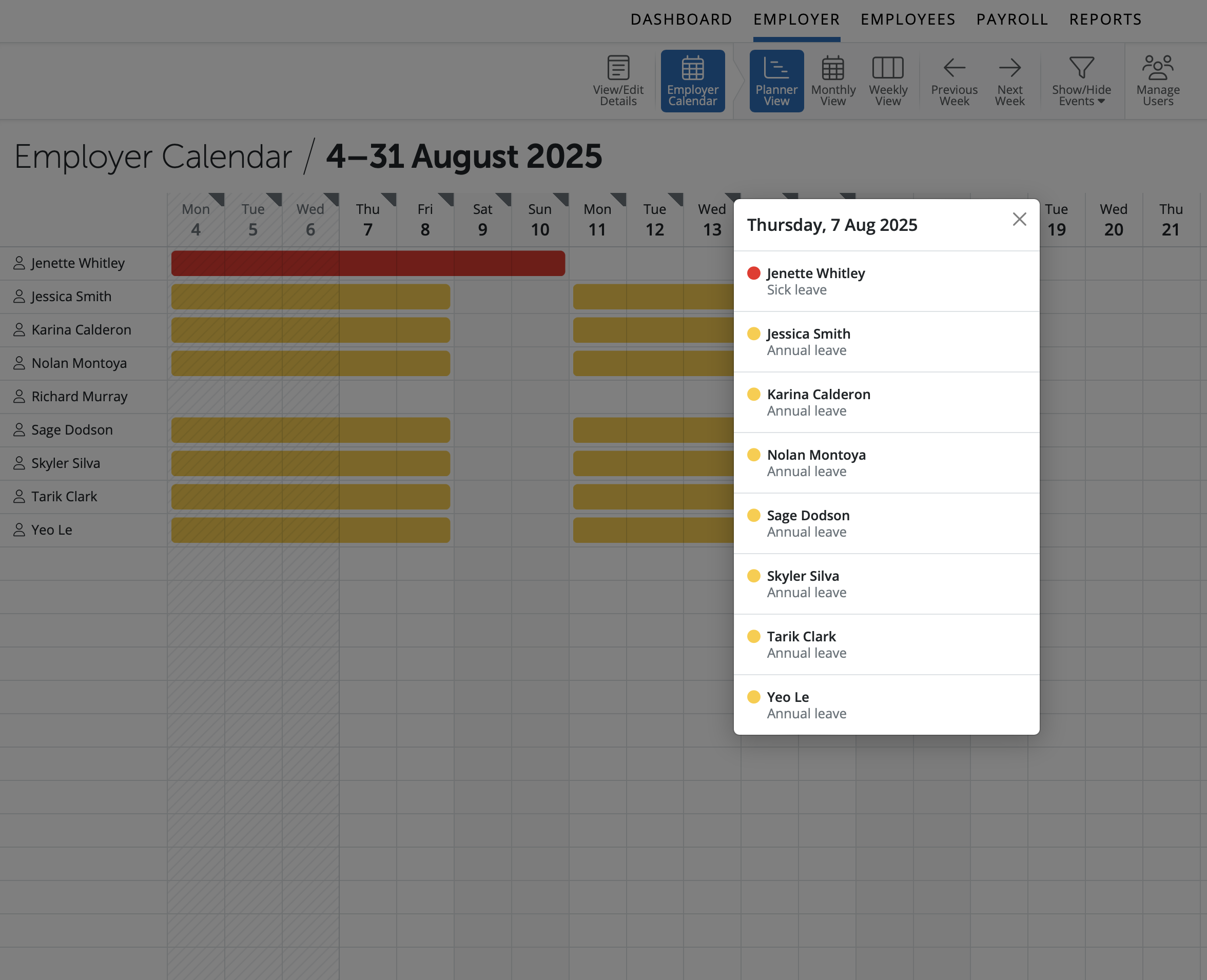
The triangle icon on the top of a date indicates there is at least one employee on leave or a note/reminder on that date. If you select the triangle on the date a list view will show of employees leave, type of leave and the length of leave
Options are available to select a monthly view or weekly view. Select a date and view the employees' leave and type on the right hand side of the screen.
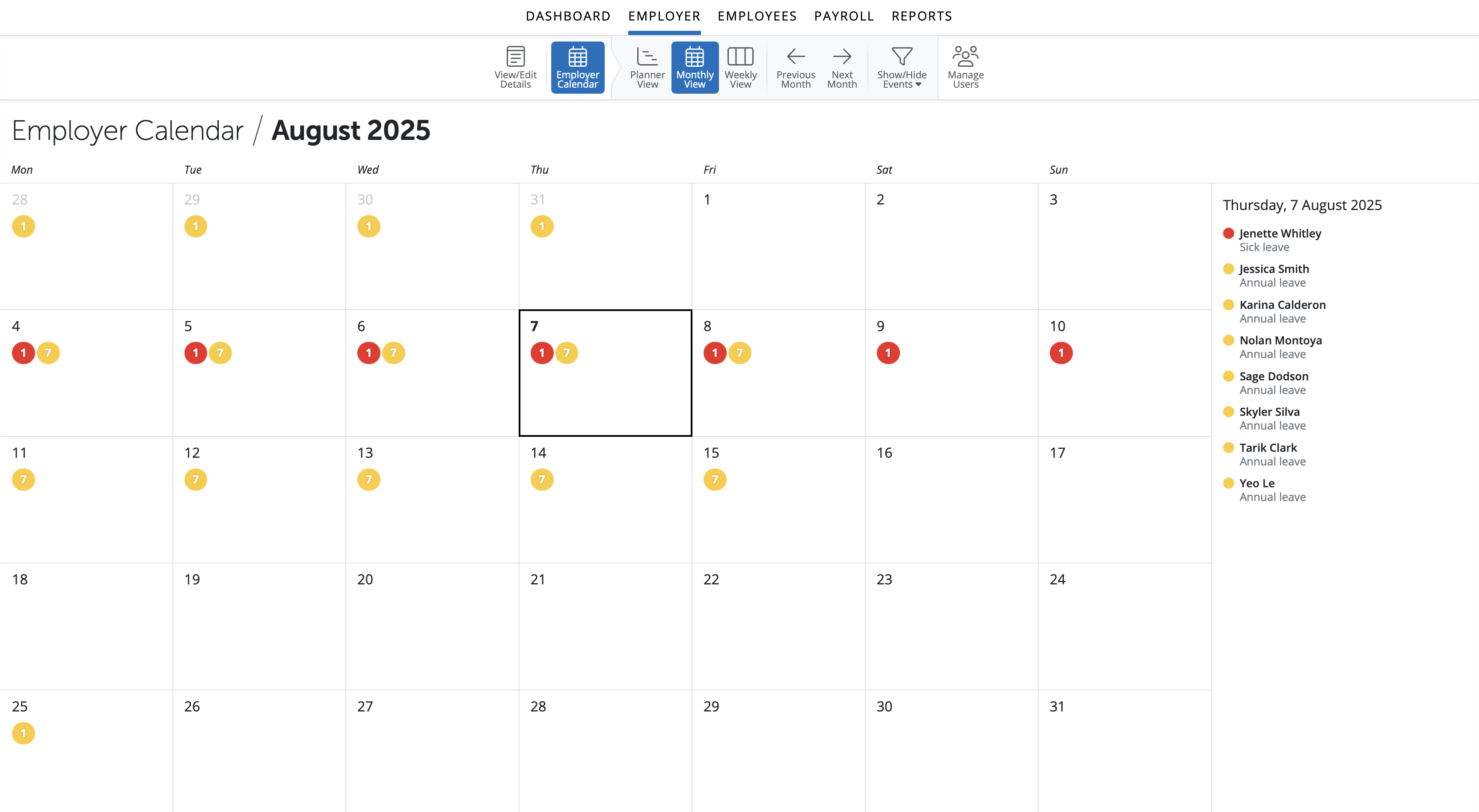
Key features:
- users can switch between the Planner, Monthly or Weekly view.
- shows combined events for all employees (i.e. those entered on the employee calendar, as well as birthdays)
- ability to filter which kinds of events are displayed on calendar and in the day event list.
Need help? Support is available at 0345 9390019 or [email protected].







